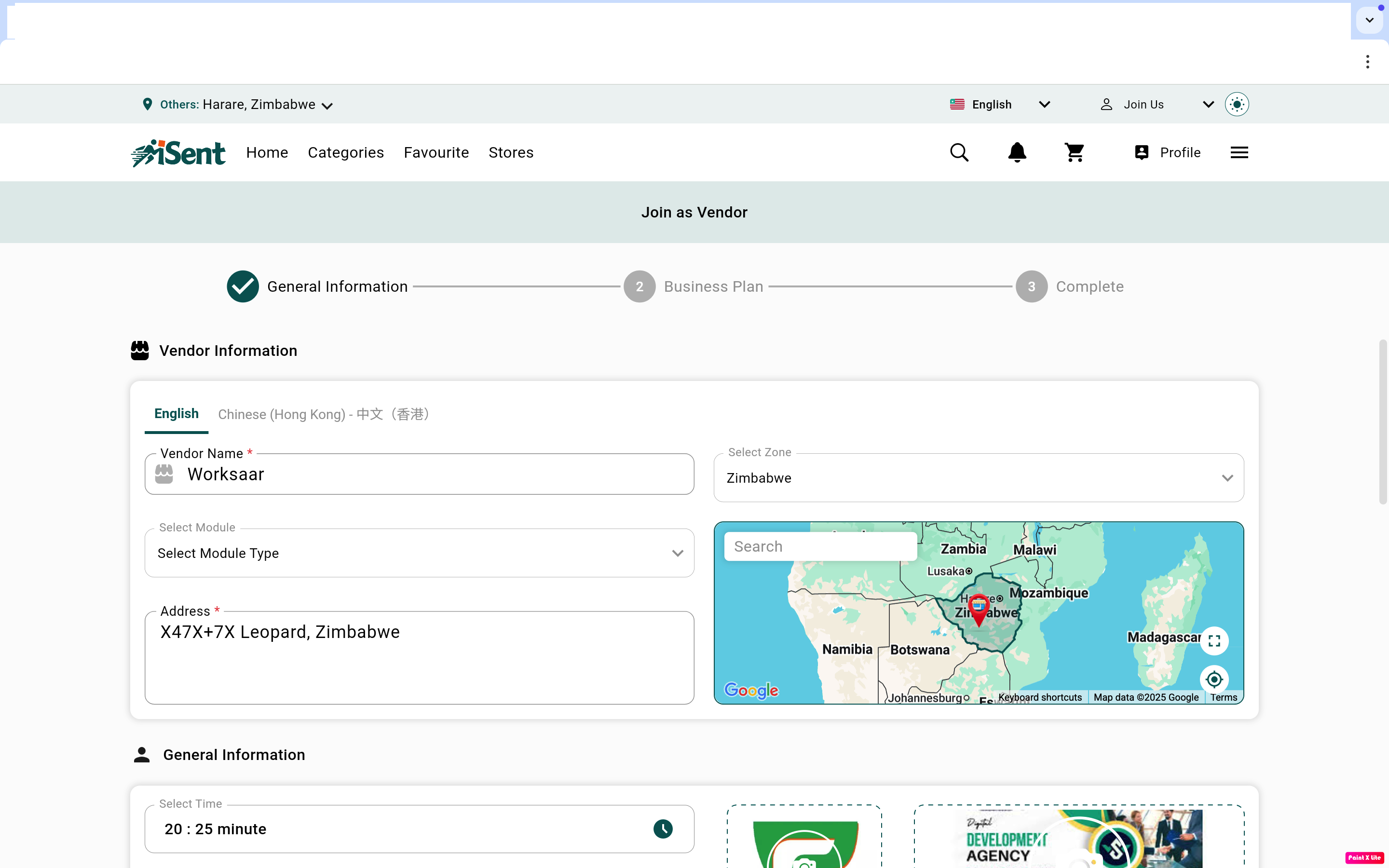
How to create vendor account
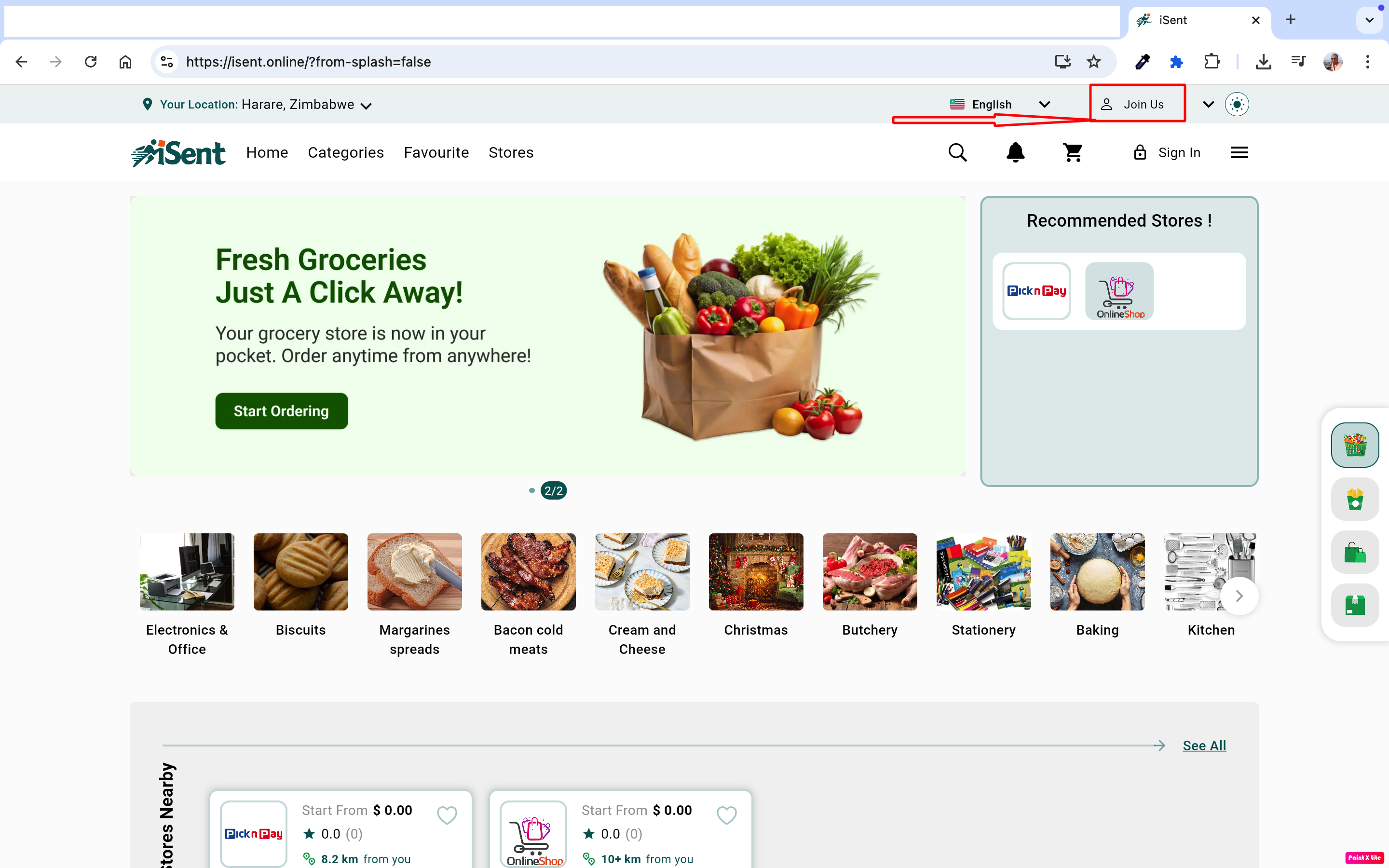
1. Visit https://isent.online/ and click on the “Join us” button.
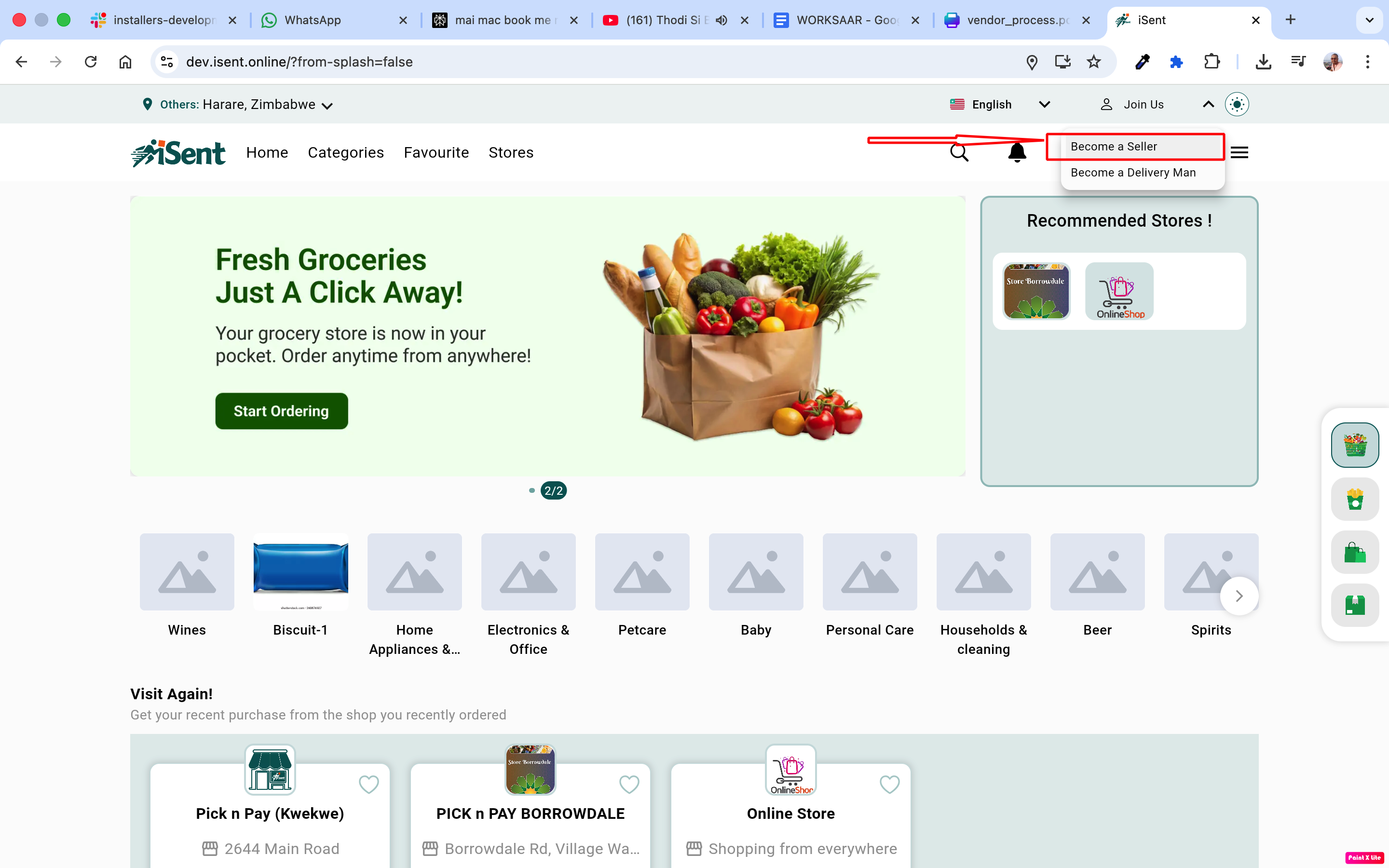
2. Click on “Become a seller”. After clicking, the store registration form will open.
3. Fill all the necessary details. Note: The vendor logo should have a 1:1 ratio, and the vendor cover should have a 3:1 ratio.